WordPress Site Downtime: How to Identify, Resolve, and Prevent Future Issues
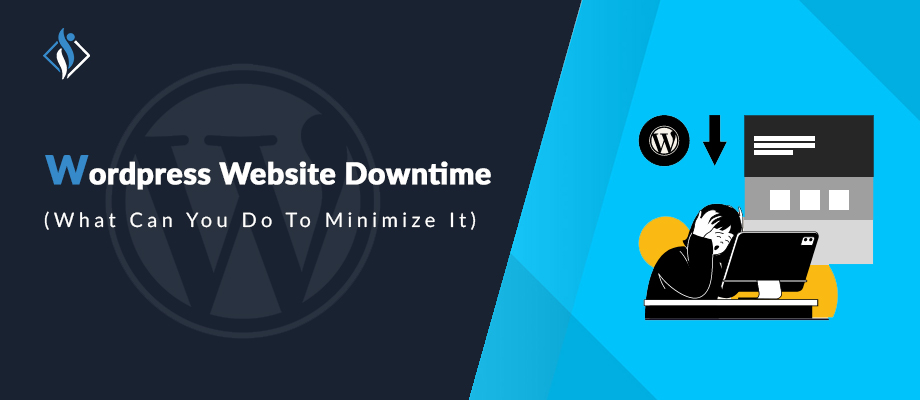

In today’s digital world, the performance and reliability of a website are crucial. WordPress, as one of the most popular website platforms, is not immune to downtime issues. Downtime not only disrupts user experience but can also have significant repercussions on your brand’s reputation and revenue. Quickly addressing this issue is essential in minimizing negative impacts on your site’s traffic, user experience, and search engine rankings.
Common Signs of a Down WordPress Site
Downtime can manifest in several ways, some more apparent than others. The most common signs include:
- Slow Loading Times: Ever found yourself waiting endlessly for a website to load? If so, you’ve experienced one of the first red flags indicating potential issues. When your site takes what feels like an eternity to load, it’s more than just a waiting game – it’s a sign that something might be going wrong behind the scenes.
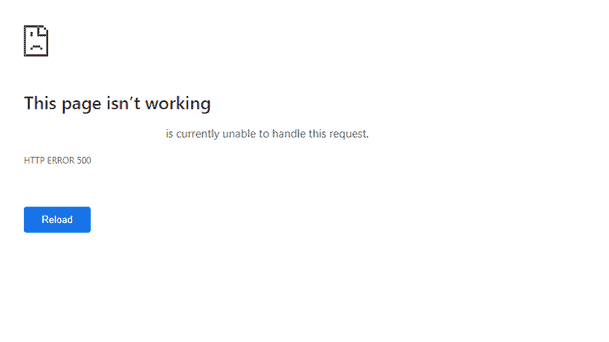
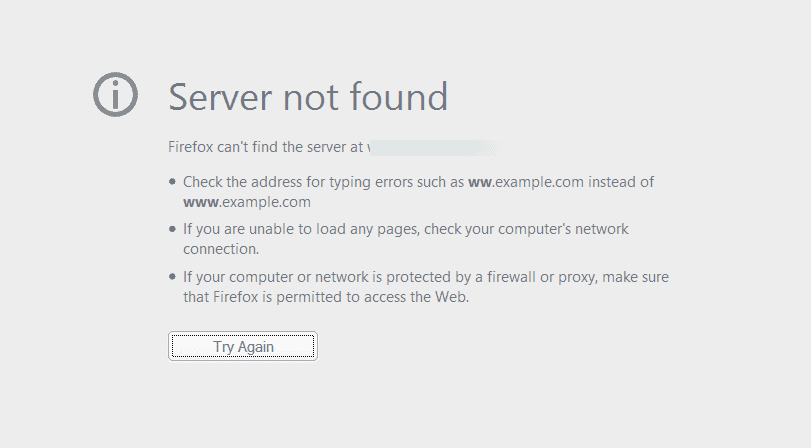
- Cryptic Error Messages: Have you ever encountered the notorious ‘White Screen of Death’ or been baffled by error codes that seem like secret language? These are the digital distress signals your website may be sending. Error messages can vary in complexity, but they all share a common message: something isn’t quite right. Understanding these messages is key to uncovering and resolving the underlying issues.
- Total Inaccessibility: When you try to visit your website, and nothing happens. No loading, no content – just a void of inaccessibility. When your website refuses to load at all, it’s a clear indicator that a problem is at hand. This level of inaccessibility demands attention and investigation.
12 Things to Consider When Your WordPress Site is Down
When you are facing these issues, you can consider these things when your WordPress site is down and take immediate action. These things are such as:
- Using Older PHP Version: Only 8% of websites currently use PHP 8.2, the latest version released on May 9, 2023 . This low adoption rate could pose a problem for WordPress websites. For instance, if your hosting provider or you are using PHP 7, and you receive a WordPress update requiring PHP 8, updating might lead to issues.
Functions designed for PHP 8 may not work correctly on PHP 7, potentially causing your WordPress website to break when these functions are activated. It’s crucial to ensure that your server’s PHP version is compatible with the WordPress updates to prevent any disruptions. - Hosting Issues: Sometimes, websites face hiccups due to hosting issues. Firstly, when there’s a surge in visitors, servers may struggle to handle the high traffic, resulting in a delay. Additionally, exceeding bandwidth limits can render a site inaccessible.
Sometimes, downtime might stem from an issue with the hosting service itself. These challenges highlight the need for reliable hosting solutions to ensure a smooth online experience for users. - Plugin Issue: When it comes to managing your WordPress site, it’s crucial for WordPress site owners to keep an eye on a few potential issues. Make sure that the plugins you install are compatible with your WordPress version to avoid any conflicts.
Additionally, don’t forget to regularly update your plugins to ensure smooth functionality, as outdated ones may cause problems, and be cautious of conflicts between plugins, as some may not work well together. Keeping these considerations in mind will help you maintain a smooth-running website without getting caught up in technical jargon. - Theme-Related Challenges: If you’re facing issues with your WordPress theme, there are a few common reasons to consider. First, if your theme hasn’t been updated to match your WordPress version, it might lead to problems. Additionally, corrupted or missing theme files can disrupt your site’s functionality.
Lastly, even theme updates intended to improve things can sometimes introduce conflicts or bugs. Keeping an eye on these aspects can help ensure a smooth experience for your website visitors. - Database Problems: A corrupted database can really mess up your site, making it unusable and causing a lot of headaches. If there are issues connecting to the database, your site might become inaccessible, leaving you stranded. Plus, running out of storage space for your database can bring everything to a halt, causing a breakdown in your site’s operations.
It’s like having a messy desk. Everything just stops working smoothly. So, keeping an eye on these database troubles is crucial for keeping your WordPress site up and running smoothly. - Security Concerns: Website downtime can result from various threats, such as malware and hacking attempts, either causing a direct takedown or triggering precautionary measures by hosting providers. Additionally, security vulnerabilities in plugins and themes, when left unaddressed, can be exploited, leading to extended periods of site inaccessibility.
Another common risk stems from weak passwords, as easily guessable ones can compromise the overall security of the website. It’s crucial to stay vigilant and address these potential issues to ensure a smooth and uninterrupted online experience for users. - Update and Maintenance Failures: It’s crucial to keeping your WordPress site up-to-date with the latest core updates. Avoiding these updates may expose your site’s security vulnerabilities and impact its functionality. Additionally, regular backups act as a safety net, allowing you to quickly restore your site in case of any major issues or data loss.
Think of it as a safety measure for your WordPress website ensuring that you can easily recover if the unexpected happens. By incorporating these practices into your WordPress website maintenance routine, you contribute to a safer and more reliable online presence. - Caching Plugins: Caching plugins boost website performance, but misconfigurations can cause display problems or even make the site inaccessible. Stale caches may show outdated data and block new updates. To avoid such issues, regular clearing of the cache and optimizing performance settings is crucial. This ensures a seamless user experience, preventing glitches and ensuring your content stays current.
- External Attacks and DDoS: Distributed Denial of Service (DDoS) attacks have the potential to knock your website offline, causing disruption and inconvenience. To safeguard against this threat, it’s crucial to implement security measures that can significantly reduce the risk and impact of such attacks.
By taking proactive steps to fortify your online defenses, you create a more resilient environment for your website, ensuring a smoother and uninterrupted user experience. In simple terms, investing in security can help keep your site up and running, even in the face of potential DDoS challenges. - WordPress Core Issues: While it’s uncommon, WordPress core updates may occasionally bring in new bugs. Additionally, conflicts with the server environment can create compatibility issues. To address these concerns, engaging with the WordPress community is key for reporting and resolving core problems.
This collaborative approach ensures a smoother experience for users by actively tackling and resolving any issues that may arise during updates. WordPress 6.4 is the current version that includes new themes and features. - Troubleshooting Steps: To swiftly resolve issues on your WordPress website, it’s crucial to identify the root cause. Leverage WordPress debugging tools like WP_DEBUG to pinpoint the exact problem. These tools help unveil issues efficiently.
Additionally, seek support from your hosting provider, as they can provide valuable insights and solutions tailored to your website’s environment. Taking these steps ensures a smoother problem-solving process for a seamless online experience. - Use Monitor Tools: To monitor your site’s uptime consistently, consider using website monitoring tools that regularly check its availability. These tools alert you instantly if your site experiences downtime, enabling swift responses to minimize disruptions. By employing such monitoring solutions, you ensure continuous awareness of your site’s status, allowing you to address issues promptly and maintain a seamless online presence for your users.
Get Professional Help for Your Broken Website
Knowing the reasons behind a WordPress site’s downtime and knowing what to consider when addressing these issues are key to maintaining your online presence. If you are worried about your website frequent downtime issue, Get in touch with our WordPress development service experts to get professional assistance. They will help you to make website smooth and glitch-free functionality.
I'm currently a WordPress developer at Samarpan Infotech. My interests include Web Development. In my spare time, I enjoy reading and surfing the internet.