Squarespace to WordPress Migration: A Comprehensive Guide
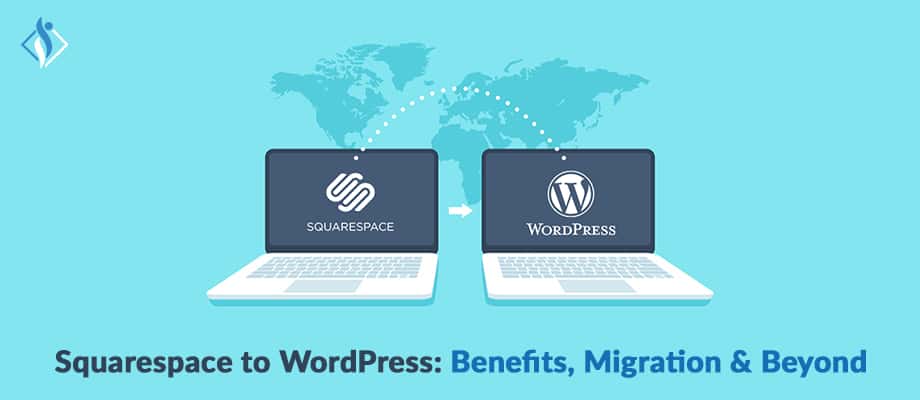

In the digital era, ensuring your web presence aligns with your brand’s needs is paramount. Often, businesses find that as they evolve, their chosen website platform may no longer serve them effectively. This is where the conversation about migrating from one platform to another, like Squarespace to WordPress, becomes essential.
Squarespace: Squarespace is an easy-to-use website builder for individuals and businesses. It’s perfect for those without technical skills, offering stylish templates and a drag-and-drop interface. Squarespace handles domain registration, hosting, and design, and is known for its sleek, mobile-responsive designs. It also includes features for blogging, e-commerce, and basic analytics.
WordPress: WordPress is a widely-used, flexible, and customizable content management system. It’s known for its extensive plugin options and can be installed on your own hosting. Popular for blogs, WordPress offers thousands of themes and plugins for personalized websites, suitable for anything from personal portfolios to large e-commerce stores.
What are the benefits of moving Squarespace to WordPress
Moving from Squarespace to WordPress can offer several benefits. Here are some of the key advantages:
- Enhanced Customization: WordPress provides a greater level of flexibility in terms of design and functionality compared to Squarespace. With thousands of themes and 59000+ plugins available, you can create a truly unique and tailored website.
- Complete Ownership and Control: When you use WordPress, you have full control over your website. You own the domain, hosting, and all the content, giving you the freedom to make any changes or modifications as needed.
- Scalability: The scalability of WordPress makes it suitable for all types of websites. WordPress can handle everything from personal blogs to large e-commerce stores.
- Search Engine Optimization (SEO):WordPress is known for its SEO-friendly structure. It offers a range of plugins like Yoast SEO that help optimize your content for search engines, improving your website’s visibility.
- Vast Community and Support: WordPress has a massive community of developers, designers, and users who contribute to its growth. This means you have access to a wealth of resources, forums, and support channels for troubleshooting and advice.
- Content Management System (CMS) Capabilities: WordPress is primarily designed as a CMS, making it easy to organize and manage a large volume of content. Its user-friendly interface allows for efficient content creation and updates.
- Cost-Efficiency: While Squarespace may have a user-friendly drag-and-drop interface, it can become costly as you scale up. WordPress, on the other hand, offers more cost-effective hosting solutions and a wide range of free themes and plugins.
- Ecommerce Functionality: If you plan to run an online store, WordPress with plugins like WooCommerce provides robust e-commerce capabilities. This allows for a seamless integration of a shopping cart, payment gateways, and inventory management.
- Security Options: WordPress offers a variety of security plugins and best practices to protect your website from potential threats. Regular updates and a vigilant community contribute to its overall security.
- Migration and Back-Up Options: Moving from Squarespace to WordPress is a manageable process, and there are tools available to assist with the migration. Additionally, WordPress has a wide range of backup solutions to safeguard your content.
How to migrate from Squarespace to WordPress
Migrating from Squarespace to WordPress involves several steps. To ensure a smooth transition, follow these 10 essential steps:
- Prepare Your New WordPress Site: Before moving, it’s imperative to lay the groundwork. Start by procuring a domain name, if you don’t already have one. Next, choose the best hosting provider optimized for WordPress. Once secured, initiate the WordPress installation.
- Export Content from Squarespace: Migrating content begins in your Squarespace dashboard. By navigating through Settings > Advanced > Import / Export, you can export your site’s content as an XML file specifically tailored for WordPress.
- Import Content to WordPress: With your XML file ready, log into your WordPress dashboard. By accessing Tools > Import and employing the WordPress Importer plugin, you can seamlessly import your Squarespace content.
- Install a WordPress Theme: Aesthetic consistency is key. Thus, select the best WordPress theme that mirrors your Squarespace design. With countless themes available, both free and premium, you’re bound to find a harmonious match.
- Set Up Permalinks: Maintaining a consistent URL structure not only benefits user navigation but also preserves SEO value. Adjust your permalink settings in WordPress to mimic your Squarespace URL structure.
- Manually Migrate Any Non-exportable Content: Given the nature of automated transfers, some content may not migrate. Assess your new WordPress site, manually relocating any omitted content or features.
- Install Essential Plugins: With migration nearing completion, now’s the time to augment your site with plugins. Whether it’s Security plugins, or Backup plugins, This plugin enriches your site’s functionality.
- Test and Optimize: Before taking your new site live, thorough testing is crucial. Ensure all links are functional, images load correctly, and optimize your content with plugins like Smush.
- Redirect Your Domain: For those retaining their domain name, update DNS settings to align with your new WordPress hosting provider. Also, remember to implement 301 redirects for any altered URLs to maintain SEO stature.
- Monitor and Adjust: After the migration, vigilance is key. Monitor performance, ensure there are no 404 errors, and address any post-migration anomalies.
Post migration consideration in Squarespace to WordPress migration
After moving from Squarespace to WordPress, there are several important things to consider:
- Review and Optimize Content: Take the opportunity to review and optimize your content for SEO. Ensure that all meta tags, descriptions, and headings are in place and relevant to improve search engine visibility.
- Check and Update URLs: Verify that your URLs are consistent and user-friendly. Use descriptive slugs that accurately represent the content of each page or post.
- Rebuild Website Structure: Rebuild your website’s structure to match your desired organization. Set up categories, tags, and menus to ensure easy navigation for visitors.
- Redirects for SEO: Implement 301 redirects for any old URLs from your Squarespace site to ensure that visitors are directed to the appropriate pages on your new WordPress site. This helps maintain SEO rankings.
- Verify Image and Media Files: Double-check that all images and media files are correctly displayed on your WordPress site. Make sure they are properly formatted and optimized for fast loading.
- Test Functionality and Links: Thoroughly test all interactive elements, such as forms, buttons, and links, to ensure they work as intended. Fix any broken links or forms that may have occurred during the migration.
- Install Essential Plugins: Install necessary plugins for added functionality and security. This may include SEO plugin, security plugins, and caching plugins for improved performance.
- Set Up Analytics and Tracking: Reconnect your website with any analytics or tracking tools you were using on Squarespace. This will allow you to monitor traffic, user behavior, and other important metrics.
- Implement Back-Up and Security Measures: Set up regular backups and security protocols to protect your WordPress site from potential threats. This includes configuring firewalls, monitoring for suspicious activity, and using strong passwords.
- Update Contact Information and Social Links: Verify that your contact information and social media links are up-to-date. This ensures that visitors can easily get in touch with you or follow you on social platforms.
Seamless Squarespace to WordPress Migration: Let Us Guide You!
Making the shift from Squarespace to WordPress can unlock a world of possibilities for your website. The increased customization, scalability, and control empower you to create a unique online presence tailored to your specific needs. If you’re feeling daunted by the migration process, remember that you don’t have to go it alone. A trusted custom WordPress development company can guide you through every step, ensuring a seamless transition.
Taking your website to the next level? We’re here to help. Contact us today and let’s get started. Click here to enhance your online presence!
I'm currently a WordPress developer at Samarpan Infotech. My interests include Web Development. In my spare time, I enjoy reading and surfing the internet.