Common WordPress Technical Errors: A Guide To Common Developer Issues
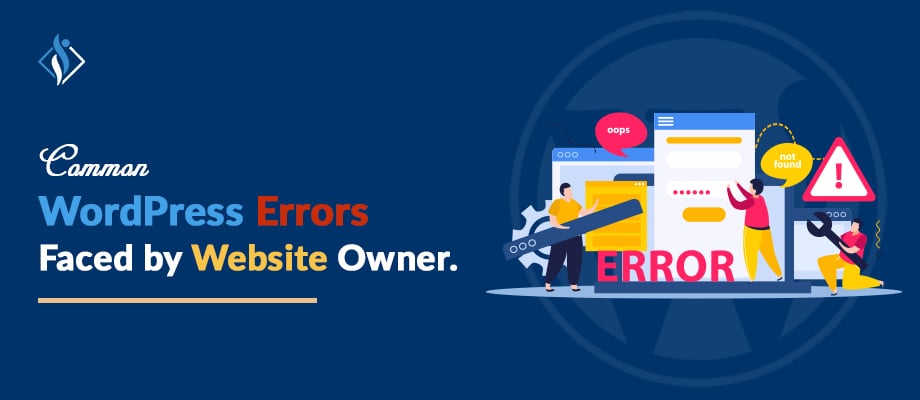

WordPress stands out as a preferred CMS, offering versatility and user-friendly interfaces for website development. Yet, issues may arise, disrupting site functionality. Understanding common technical mistakes early on is key. Fear not, solutions exist! With the right knowledge, overcome challenges to maintain WordPress as a reliable, effective tool for seamless website creation and management.
14 Common WordPress Technical Errors To Consider
These are the key points that WordPress site owners need to consider to resolve common WordPress technical mistakes for optimal site performance:
- The White Screen of Death: This error results in a completely blank white screen, leaving your website inaccessible. To fix it, check for conflicts in plugins or themes and review PHP errors for clues. It’s a common issue but often straightforward to solve.
- Internal Server Error: This vague error implies a problem on the server. Solutions include inspecting the .htaccess file, increasing the PHP memory limit, and reviewing plugins for any issues. It’s a bit of detective work to pinpoint the exact cause.
- Database Connection Error: When WordPress can’t connect to its database, this error appears. Correcting database login details and using phpMyAdmin for database repairs are effective fixes. It’s a crucial step to keep your site running smoothly.
- 404 Error – Page Not Found: This error pops up when a specific page on your website can’t be found. Adjusting permalink settings, updating the .htaccess file, and ensuring the page exists are ways to resolve it. It’s about ensuring links lead where they should.
- Memory Exhausted Error: This occurs when your site exceeds the PHP memory limit. Increasing this limit in the wp-config.php file and deactivating unnecessary plugins can resolve the issue. It’s like giving your website a bit more breathing room.
- Syntax Error: Caused by coding errors, this disrupts your site’s functioning. Finding and fixing the incorrect code will solve the problem. It’s a bit like proofreading your site’s code.
- Email Sending Issue in WordPress: Difficulty in sending emails from WordPress often requires switching to SMTP for email delivery and reviewing server email configurations. It’s about ensuring your emails find their way.
- Image Upload Issue: Trouble uploading images is often due to file permissions, image formats, or server space issues. Checking these can solve the problem. It’s like making sure your images are the right fit for your site.
- Locked Out of WordPress Admin (wp-admin): If you can’t access your admin dashboard, resetting your password via phpMyAdmin or disabling problematic plugins can help. It’s about regaining the keys to your site’s control center.
- Sidebar Below Content Error: A sidebar that appears below content instead of beside it requires checking your theme and CSS for layout issues. It’s like rearranging furniture to make the room look right.
- Lost Admin Rights: Losing admin privileges means you need to edit user roles in the database through phpMyAdmin. It’s about restoring your authority on the site.
- WordPress Recovery Mode: Triggered by critical errors, this mode calls for a detailed error investigation and subsequent resolution. It’s like putting your site in a safe mode to fix issues.
- WordPress Login Page Refreshing/Redirecting Issue: If the login page keeps refreshing or redirecting, clearing browser cookies and verifying wp-config.php settings can help. It’s about smoothing the path to logging in.
- WordPress RSS Feed Errors: Issues with RSS feeds usually involve checking theme functions and deactivating conflicting plugins. It’s about ensuring your site’s content is properly syndicated.
Preventive Measures: Avoiding Common WordPress Development Errors
When it comes to keeping your WordPress site running smoothly, prevention is key. The following tips will help you avoid common errors:
- Regular Backups: Think of backups like a safety net for your website. If anything goes wrong, you can always restore your site to a previous state. Set up a routine to back up your website regularly. This way, if you run into any problems, you won’t lose all your hard work.
- Plugin and Theme Updates: Keeping your plugins and themes updated is like getting the latest upgrades for your car. These updates not only add new features but also fix any known problems. Regular updates help your site run more smoothly and reduce the chances of running into issues.
- Security Measures: Your website’s security is crucial. Imagine your website as your home; you wouldn’t leave your doors unlocked, right? Using best security plugins and following best practices are like having a good lock on your door. They help keep hackers and harmful software away from your site.
- Quality Hosting: Choosing a good wordpress hosting provider is like finding a solid foundation for your house. A reliable host keeps your website up and running smoothly. It ensures that your site loads quickly and remains accessible to your visitors, which is essential for a great user experience.
By taking these steps, you’re not just fixing problems; you’re stopping them before they start. Keeping your WordPress site secure and up-to-date is the best way to ensure a smooth, hassle-free experience for both you and your visitors.
Best Practices For WordPress Maintenance
Maintaining a WordPress site is a bit like taking care of a garden, it needs regular attention to flourish. Let’s break it down into three simple yet effective practices:
- Regular Audits: It’s important to check your website regularly. Think of it like a health check-up for your site. Look over your plugins, themes, and the content you’ve posted. This helps catch any small problems before they turn into big ones. It’s a bit like finding a leaky faucet early, so you don’t end up with a flooded bathroom!
- Performance Optimization: Speed is key for a website. If your site takes too long to load, people might leave. To keep the site fast, try making your images smaller in size, which doesn’t mean less functionality but just uses less data. Additionally, optimize and minimize your JavaScript and CSS for site efficiency. Improved loading times by incorporating caching strategies and leveraging a Content Delivery Network (CDN). Think of it as fine-tuning your website for a smoother online journey.
- Training for Website Support Staff: It’s beneficial to provide training for you or your support team members who manage website updates. Familiarize them with the basics of how the website functions. Offer insights into simple troubleshooting techniques and share dos and don’ts to prevent potential errors on the site. This way, they can navigate the website smoothly and minimize the risk of issues.
Trouble By WordPress Errors? Let Us Assist You To Resolve The Error
Encounter ongoing WordPress challenges or seek expert advice? Connect with Samarpan Infotech, your trusted WordPress development company. Our skilled professionals adeptly tackle common errors, ensuring your website operates seamlessly. Stay informed and proactive for a successful online presence. Trust in their expertise to troubleshoot, providing a hassle-free experience for your visitors. Remember, a smoothly running website enhances your online journey.
I'm currently a WordPress developer at Samarpan Infotech. My interests include Web Development. In my spare time, I enjoy reading and surfing the internet.